
Examples
No Context Bot
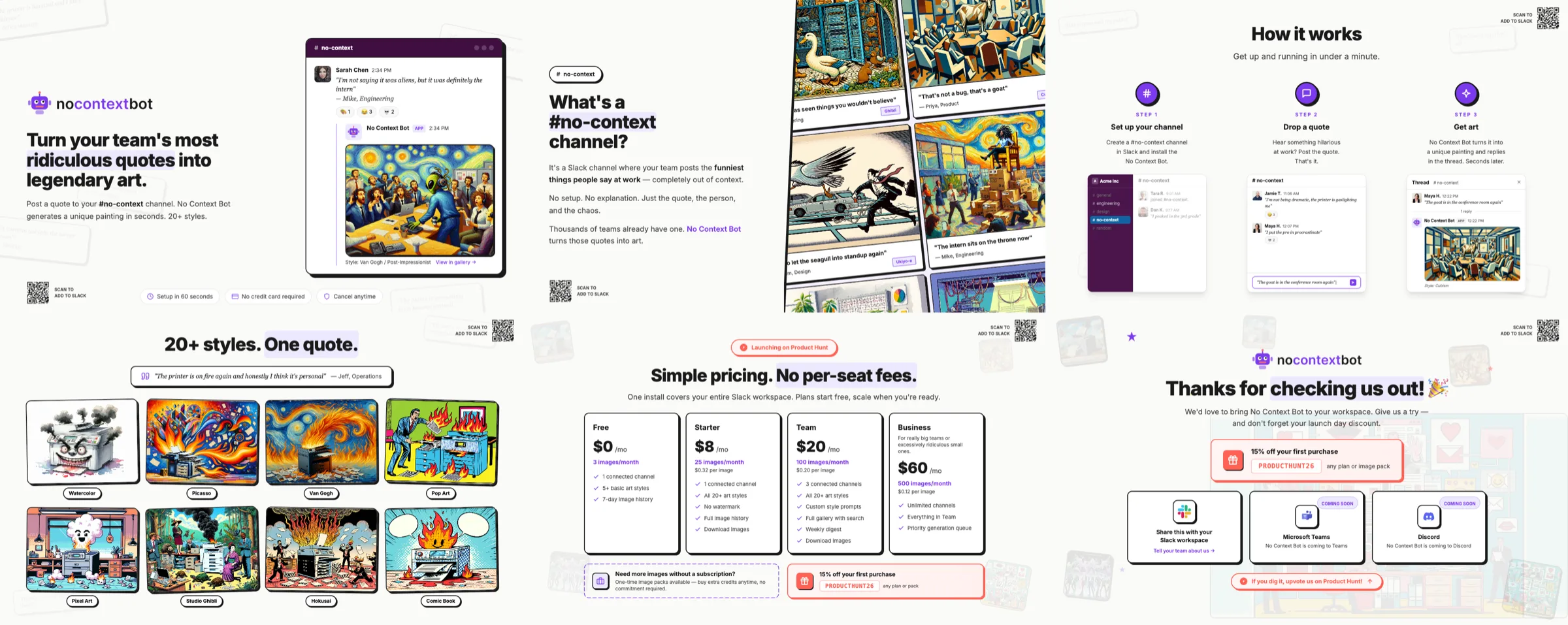
The No Context Bot example: a Slack app's Product Hunt gallery, Slack Marketplace images, an X header and an icon, showing Open Assets beyond App Store work.
No Context Bot is a Slack app, not an iOS app. Its assets show Open Assets for launch and marketplace graphics.
| Collection | Source size | Templates | Locales | Exports |
|---|---|---|---|---|
App Icon icon | 1024×1024 | 1 | - | 1024px (1024×1024), 512px (512×512) |
Product Hunt product-hunt | 1270×760 | 7 | - | 1x (1270×760), 2x (2540×1520) |
Slack App Listing slack | 1600×1000 | 6 | - | 1x (1600×1000) |
X Header x-header | 1500×500 | 1 | - | 1x (1500×500), 2x (3000×1000) |
Source: examples/no-context on GitHub.
Techniques
- Custom source sizes. Each collection uses the destination's own dimensions:
slackat 1600x1000,x-headerat 1500x500 (exported at 1x and 2x),product-huntat 1270x760. - Shared stories across channels. The Product Hunt and Slack collections tell the same story (hero, "What's a No Context channel", how it works, art styles, dashboard, pricing) at different sizes, in separate template folders.
- Google Fonts and CDN Tailwind. Templates load Inter from Google Fonts and Tailwind from its CDN, with a serif quote style for sample messages.
- Icon from HTML. A 1024x1024 HTML icon exported at 1024 and 512.
Run it
cd examples/no-context
npx -p @open-assets/open-assets open-assets dev
npx -p @open-assets/open-assets open-assets render --force
What to copy
- The X header collection (1500x500 with a 2x export) for social profiles.
- The idea of one collection per destination, each at its native size, instead of scaling one design to every shape.
Last updated on
Cat IQ Test
The Cat IQ Test example: App Store screenshots, a Product Hunt gallery at 1x and 2x, an app icon and an SVG logo exported with copy-source, all in one project.
Troubleshooting
Fixes for common Open Assets problems: missing assets.json, Chromium launch failures, fonts not loading, blurry renders, timeouts, busy ports and stale renders.